Conol 1.6.1 — Your older chats keep their files
Conol
- release-notes
This is a small release with one job: making sure the work in your older chats is never out of reach.
Keep an older chat's sandbox as a computer
Why. Before computers, every chat had its own sandbox, its own private machine. When computers arrived, those chats kept their sandboxes, along with everything the agent had built in them. But if an older chat was later connected to one of your computers, the agent started looking on that computer instead. A computer you had just created was empty, so the agent reported that your project was gone. It wasn't: the files were still in the chat's old sandbox, but there was no easy way to get the chat back to them. And on the free plan, which includes one computer, you couldn't keep the old sandbox at all once you had a computer.
How to use it. Open the older chat, click the computer button under the message box, and choose Keep this chat's old sandbox and use it here. The sandbox becomes one of your computers, with nothing copied and nothing lost, and the chat switches to it immediately. Ask the agent to carry on and it will find its files exactly where it left them.
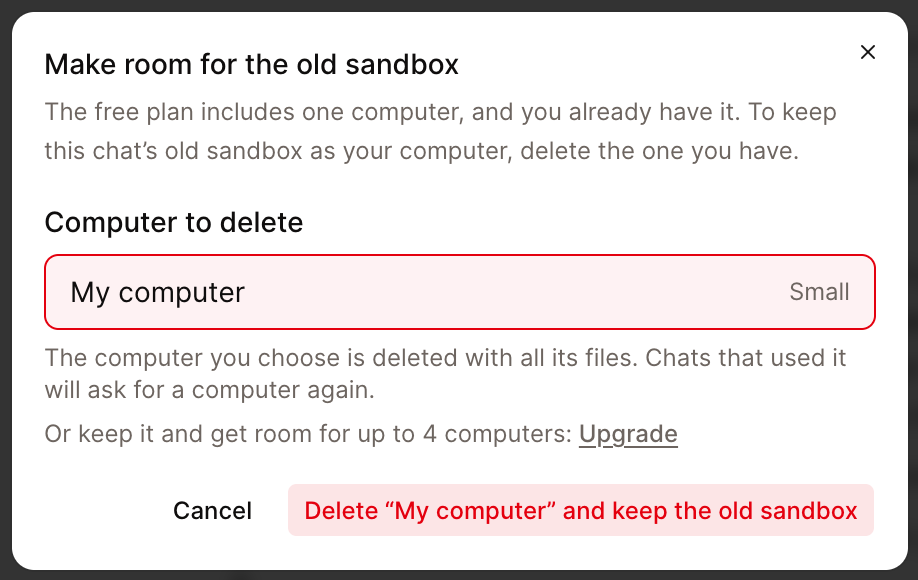
If you've already used up your computers (one on the free plan, four on a paid plan), Conol asks you to make room first. Pick the computer to replace, or upgrade instead. The computer you replace is deleted with its files, so choose one you don't need, such as an empty computer created by mistake.
You can do the same from Settings → Computers. Under Sandboxes from older chats, each chat that still has its own sandbox has a Keep as a computer button, alongside copying its files to another computer, downloading them, or discarding the sandbox.
A few details:
- A kept sandbox keeps its original size (4 vCPU, 8 GB), so it counts as a large computer and uses credits at the large rate while it runs. That applies on every plan, including free.
- Like any computer, it pauses itself when idle and costs nothing while paused.
Tip
Not sure whether an older chat still has its sandbox? Open the computer button in that chat. If the "Keep this chat's old sandbox" option is there, the files are still there too.
Fixes
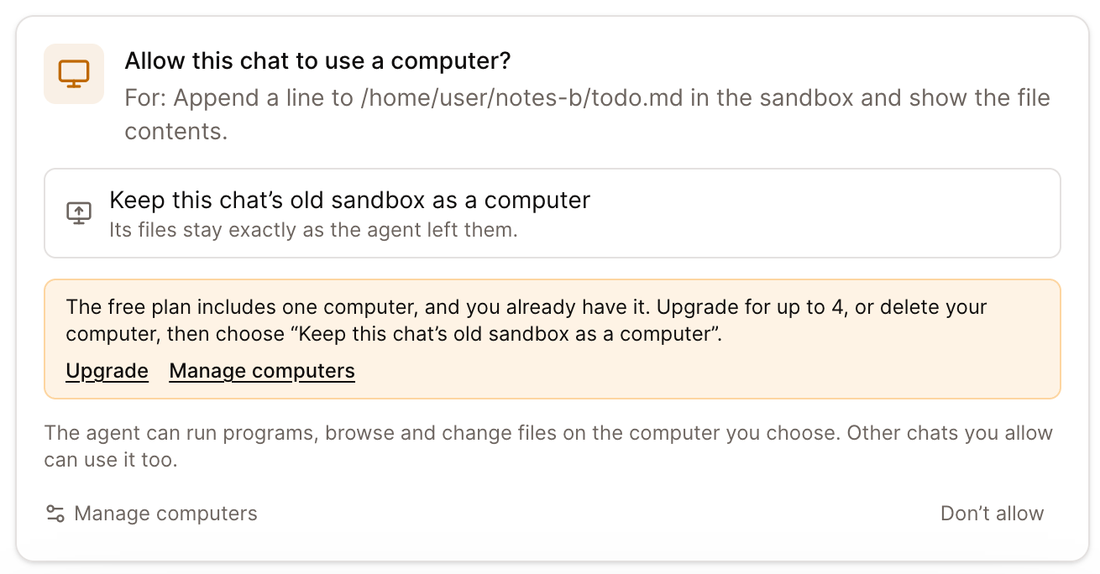
- Older chats no longer land on an empty computer. When the agent asked for a computer in an older chat, the approval card offered to create a brand-new computer, and choosing it left the agent unable to find any of its earlier work. In older chats the card now offers only to keep the chat's own sandbox (or not to allow it). If you have no room for another computer, the card says so, with links to upgrade or manage your computers, and nothing changes until you've made room.
← Back to blog