01 — Research
Deep Research
Give Conol the question. It searches broadly, checks every claim, and returns a position you can defend—with the evidence attached.
32 sources → 11 verified claims
Give Conol the long job. Its agents research, build, and file the result into notes you own—then reach you wherever you are.
01 / A day with Conol
Conol works between the moments that need you—then returns with decisions, not another inbox.
Step 01
Before you open your laptop
Conol reads 47 overnight messages, matches them against today's calendar, and files a five-point morning brief.
47 messages → 5 decisions
Step 02
While you are in stand-up
A market scan fans out across 32 sources. Claims are cross-checked, contradictions stay visible, and every conclusion keeps its citation.
32 sources · 11 claims verified
Step 03
The meeting ends
The call becomes a structured note, seven actions get owners, and two agents start the work that does not need your approval.
7 actions · 2 agents running
Step 04
You close the lid
Completed work lands in your notes with context intact. Conol sends one concise update in Telegram, ready for a reply from anywhere.
1 durable record · 0 loose ends
02 / Four modes. One system.
Research, memory, notes, and agents are not separate destinations. They are one continuous loop.
Give Conol the question. It searches broadly, checks every claim, and returns a position you can defend—with the evidence attached.
32 sources → 11 verified claims
The next job begins where the last one ended. Decisions, constraints, and preferences stay available without a ritual recap.
3 jobs · 1 continuous context
Useful work becomes useful knowledge automatically. Every result is structured, cited, and filed where future work can find it.
18 interviews → 1 living strategy note
Complex work stops waiting in one long line. Conol splits the brief, runs specialists at once, and merges their findings into one answer.
4 agents · 1 accountable result
03 / Connected by default
Conol plugs into it. Read the signal at the source, do the work, and send the result back through the channel that fits.
One permissioned layer. Every source remains traceable.
04 / Keyboard first
Press Control–Command–C from anywhere. Ask with plain language. Conol pulls the right context before the thought has time to become another tab.
Press Control Command C from anywhere, type “Prep me for the Acme call,” and Conol returns a cited briefing from your connected context.
05 / Changelog
New capabilities, tighter loops, and fixes that remove friction—shipping at the pace the work demands.
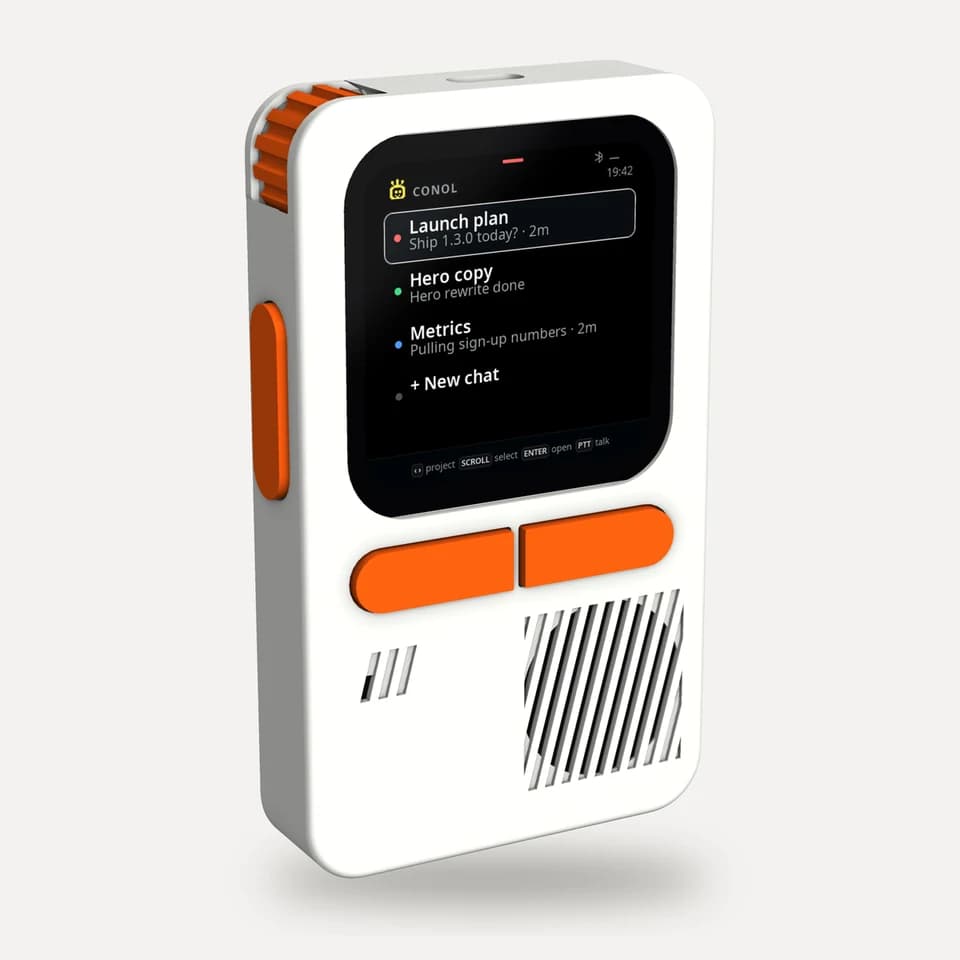
Read what we are learningSee what the agent is doing, right on the deck
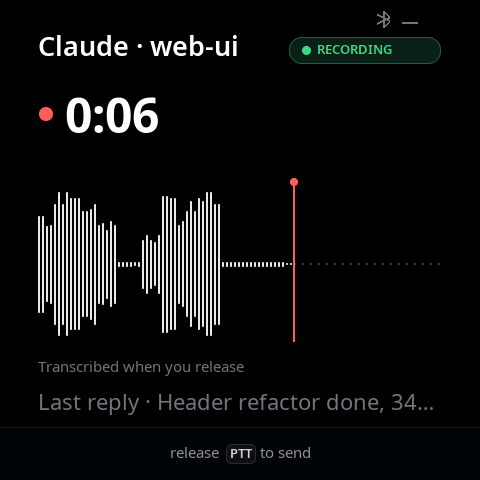
Conol on your OpenWalkieTalkie deck
Some other bug fixes
Streaming replies put far less load on Conol
Files you attach while answering the agent now reach it
06 / Choose the center of gravity
All five products can search, remember, and act. The difference is where each experience begins—and where the finished work naturally lives.
| Product | Starts from | Context home | Background loop | Where work lands |
|---|---|---|---|---|
| Conol | A job to finish | Notes + editable memory | The default loop | Notes + proactive delivery |
| Notion | A workspace or page | Workspace knowledge | Agents + automations | Pages + databases |
| ChatGPT | A chat or Work task | Chats + Projects + files | Work + scheduled tasks | Chats + finished deliverables |
| Obsidian | A local file | Your Markdown vault | Via community tooling | Local Markdown notes |
| Perplexity | A question or Computer task | Projects + threads + files | Computer scheduled tasks | Sessions + reports + alerts |
Conol is not another place to ask the same question. It is the layer that carries work across the places you already use.
Built for completed loopsYour turn
Hand off one real job today. Conol will turn it into work you can use tomorrow—and the next day after that.
Code runs in an isolated cloud sandbox, never on your machine.
Per-user OAuth for GitHub, Vercel, Cloudflare, Gmail, Calendar and Drive. Revoke anytime.
Every note exports to markdown. Import from markdown too. Leave whenever.