Conol 1.3.0 — Talk to your agents from your desk
Conol
- release-notes
Your agents often work for minutes at a time. Then they need a quick word from you: a go-ahead, a choice between two options, one more detail. This release lets you give that word from a deck on your desk, without bringing the Conol window back up.
Conol on your OpenWalkieTalkie deck
Why. Long agent runs mean a lot of checking in. You glance over to see whether a chat has finished, whether it's waiting on a question, or what it just said. Then you type a short reply and go back to what you were doing. Each check pulls you out of your current window. With an OpenWalkieTalkie deck, that loop moves to a device beside your keyboard. You can see which chats are running or waiting, and reply by voice.
How to use it.
-
Install the Conol desktop app for Mac, and make sure OpenWalkieTalkie 0.11.0 or later is running with up-to-date deck firmware.
-
Sign in to Conol in the desktop app. It finds OpenWalkieTalkie on its own, and you'll see "OpenWalkieTalkie connected". There's nothing to pair and no key to copy.
-
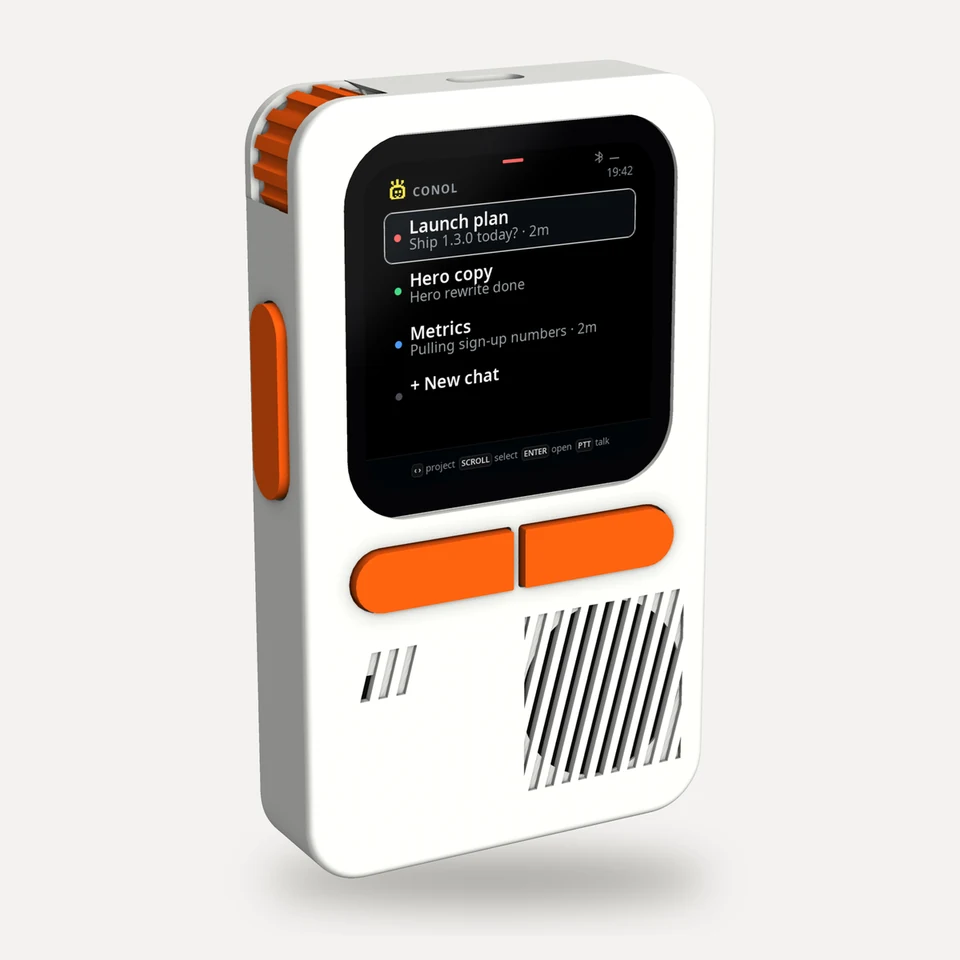
Your chats appear on the deck: up to seven at a time, plus + New chat. The chat you have open comes first, then chats waiting on a question, chats that are running, and your pinned chats.
-
Read along. Pick a chat on the deck to see its latest messages, along with the model and effort level it's using.
-
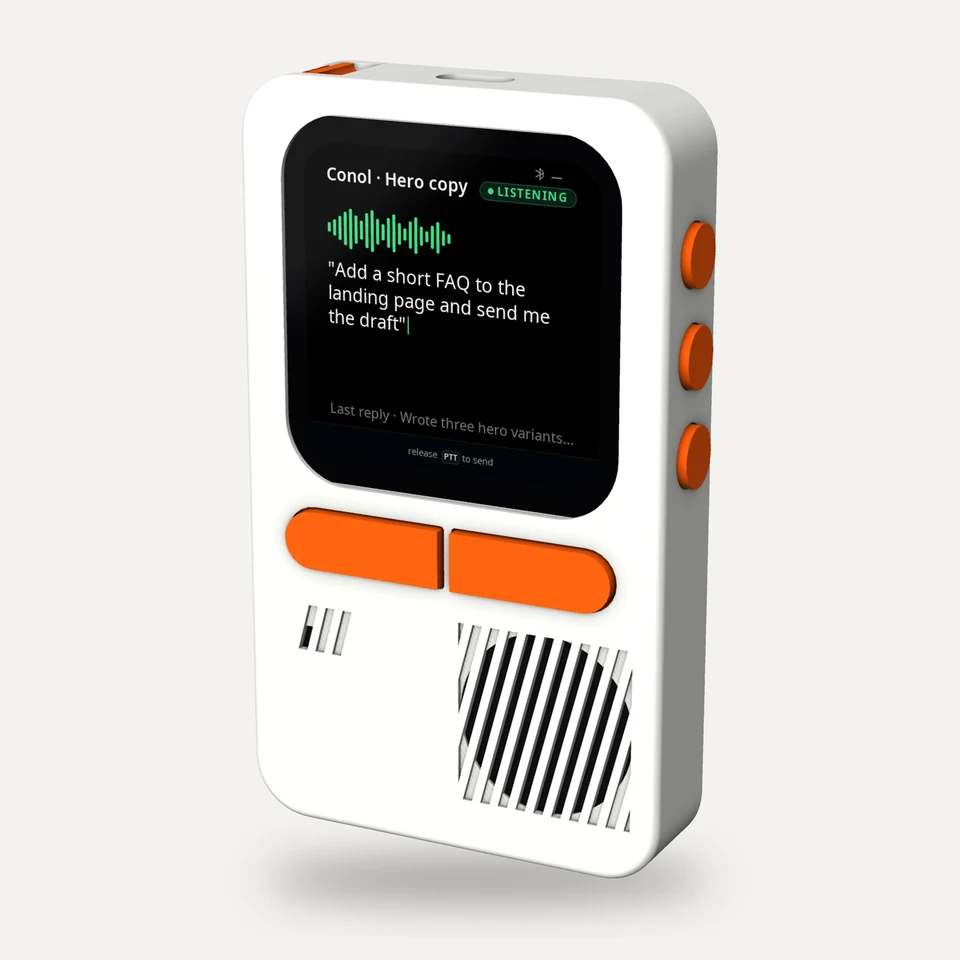
Reply by voice. Hold to talk, speak, and release. Your words are sent to that chat as a normal message, and they show up in the Conol window too.
-
Start a new chat. Choose + New chat, hold to talk, and say what you need. Conol creates the chat with your default model, opens it in the app, and switches the deck to it.
-
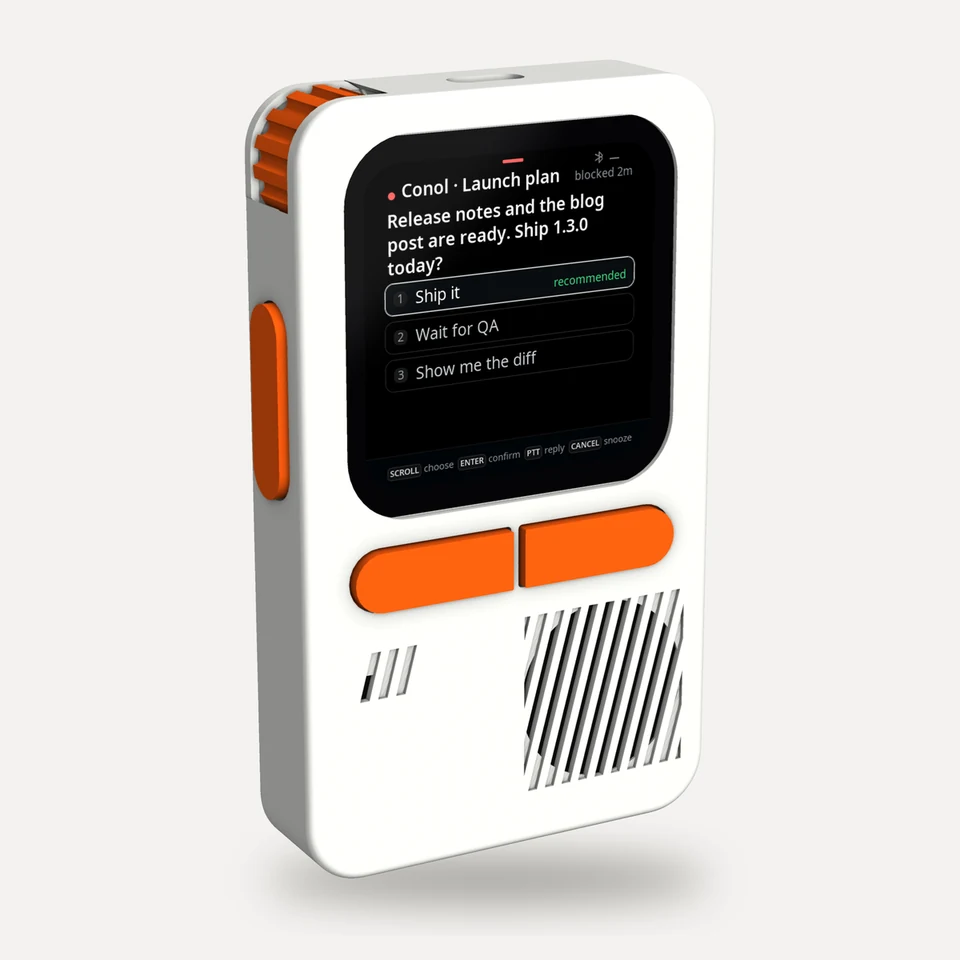
Answer the agent's questions. When the agent asks you something, including approvals in a workflow, the deck walks you through it one question at a time. You can pick an option, pick several, or say a free-form answer. Then review your answers and submit. Nothing is sent until you submit, and you can cancel from the deck.
Tip
The deck is read-only for settings. To change a chat's model or effort, change it in Conol, and the deck updates to match. The deck connects only through the Conol desktop app, which never hands it your Conol sign-in.
← Back to blog