Conol 0.47.0 — Pick a power level, not a model
Conol
- release-notes
This release is about removing decisions you shouldn't have to make. Choosing a model used to mean scanning a long list of names that only mean something if you follow AI news; now you pick how much power the task needs and Conol does the rest. The same spirit runs through the rest of 0.47.0 — a Settings page you can navigate, a sidebar that stops re-fetching things it already has, and buttons that no longer pretend to work when they can't.
Model presets: Flash, Moderate, Pro, Ultra
Why. The model menu had grown into a list of a dozen-plus names — great if you track every release, noise if you just want your task done well at a sensible price. Most of the time the real question isn't "which model?" but "how hard is this task, and how much do I want to spend on it?" — so that's the question the menu now asks.
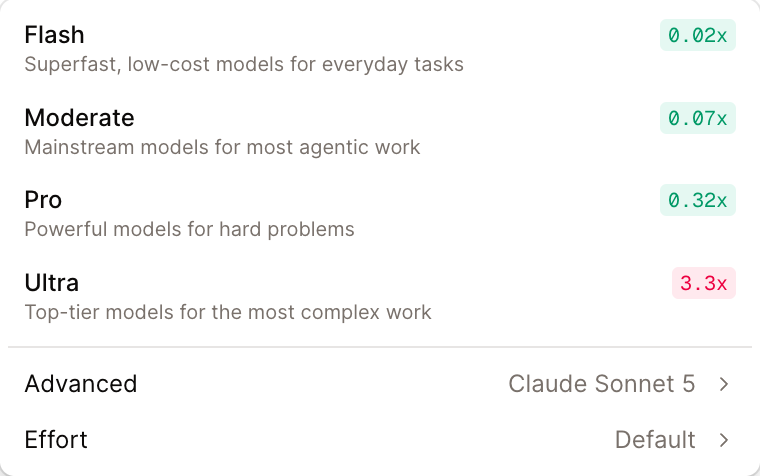
How to use it. Open the model menu in the composer and you'll see four tiers, each with its relative cost multiplier right next to it:
- Flash (0.02x) — superfast, low-cost models for everyday tasks
- Moderate (0.07x) — mainstream models for most agentic work
- Pro (0.32x) — powerful models for hard problems
- Ultra (3.3x) — top-tier models for the most complex work
Each tier maps to hand-picked models behind the scenes, and every tier is really two picks: a text model and a vision-capable one. The moment images enter your conversation — you paste a screenshot, the agent takes one — the tier switches to its multimodal model automatically, and switches back to the cheaper text model for image-free sessions. You never have to think about whether your model "does images."
Prefer a specific model? The Advanced row still opens the full model list, and the Effort selector works with both.
A new front door, built voxel by voxel
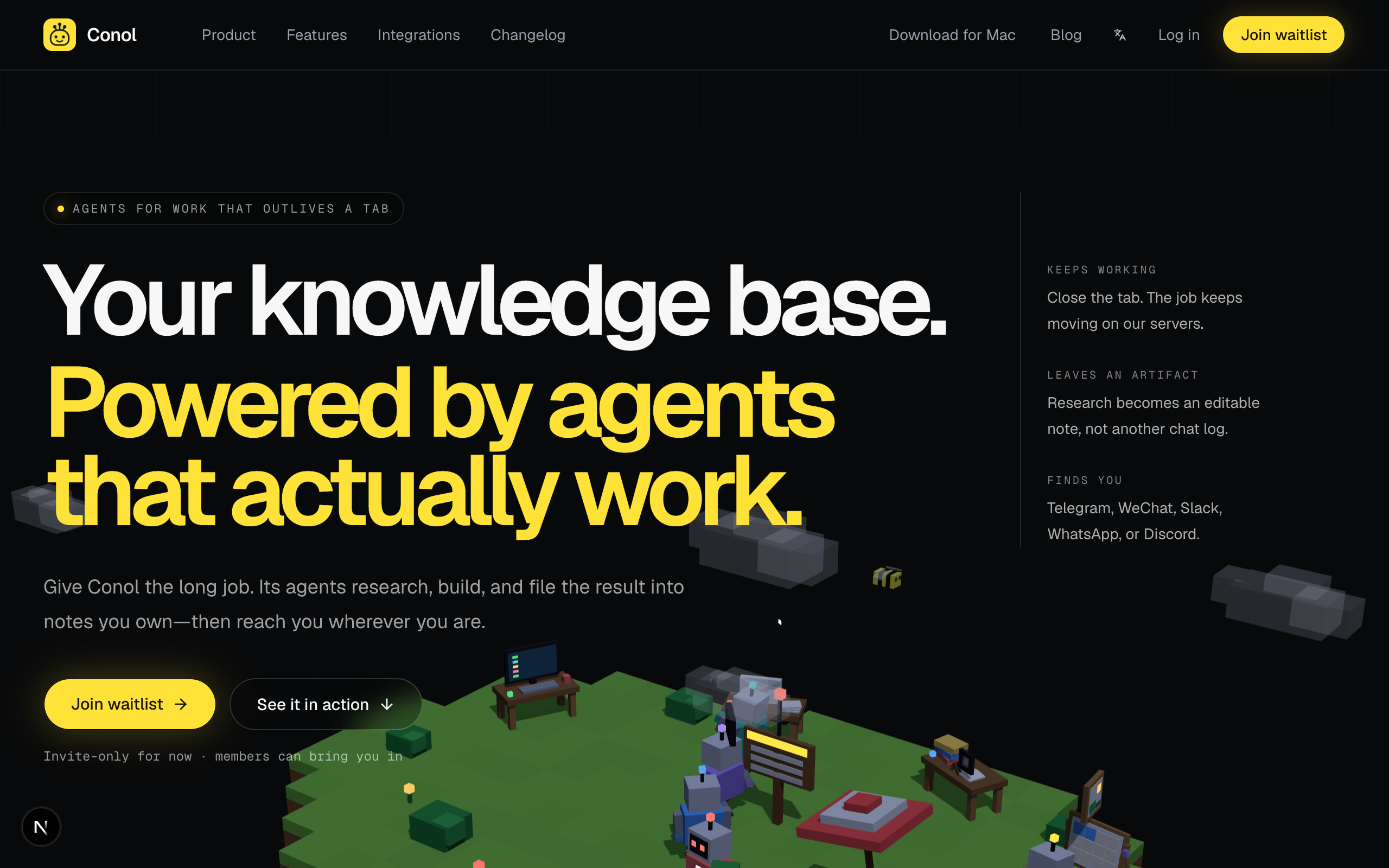
Why. Conol's agents do their best work in the background — long jobs that outlive a tab. That's hard to show with static marketing screenshots, so the new landing page doesn't use any: it runs a live, Minecraft-style voxel simulation of agents picking up jobs, working them, and filing results, right in the hero.
How to see it. Visit conol.ai logged out (or in a private window). The scene is rendered with three.js and simulates job dispatch in real time — every robot you see is "working" a task through the same states a real Conol agent moves through.
Settings you can actually navigate
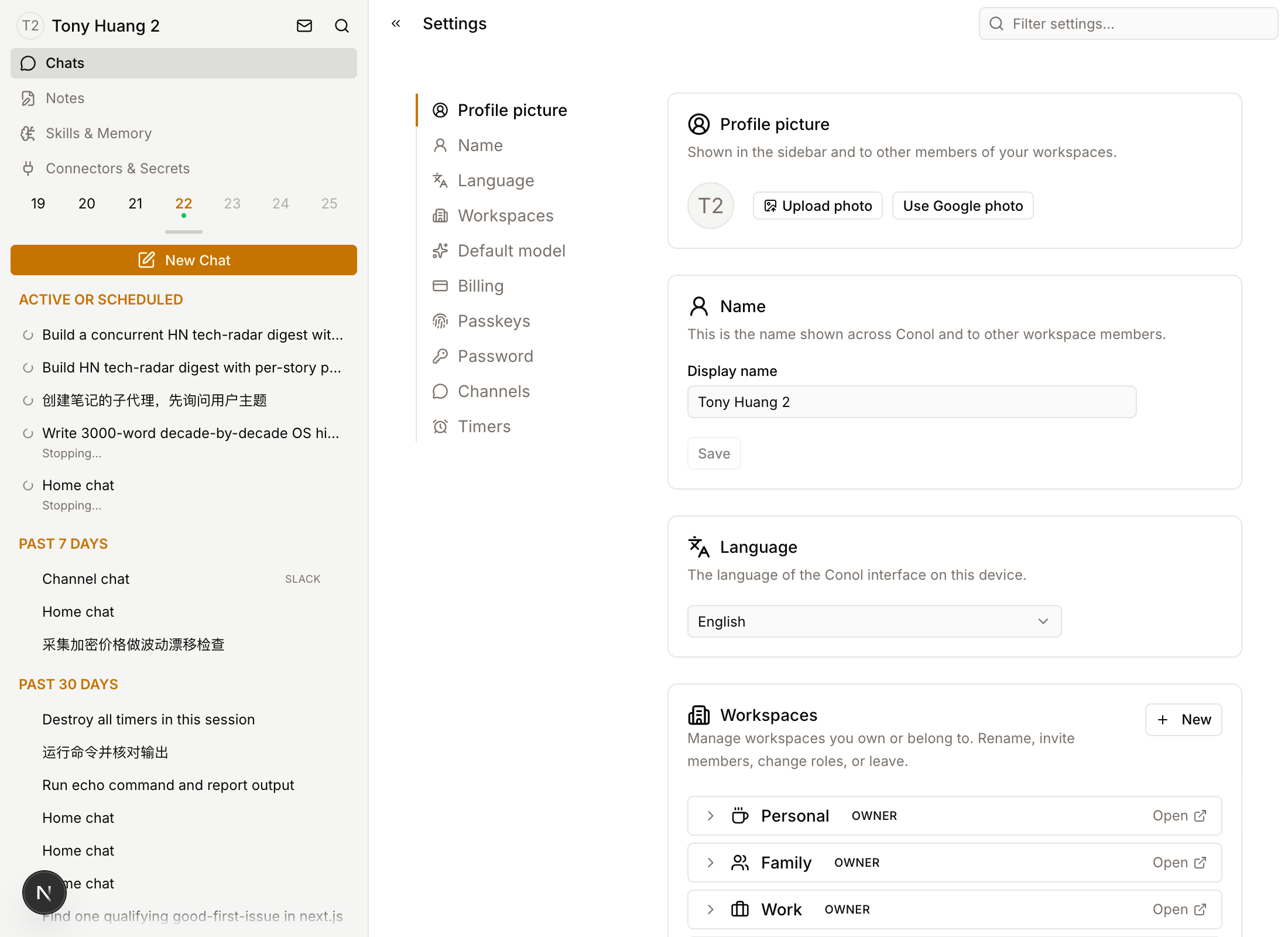
Why. Settings had grown to a dozen sections you had to scroll through blind — finding "Passkeys" or "Channels" meant scrolling and squinting.
How to use it. Settings now has a table of contents on the left — click any section to jump straight to it, with the active section highlighted as you scroll. There's also a Filter settings… box in the header: type a few letters of what you're after ("pass", "chan", "bill") and the page narrows to matching sections.
Fixes
- Snappier sidebar tab switching — flipping between Chats, Notes, Skills and Connectors no longer re-downloads your whole workspace tree each time; data refreshes at most once a minute per list, while your own edits still appear instantly.
- Viewers see only what they can do — in a shared workspace where you're a viewer, the new-note buttons, drag-to-move, and "Copy To" targets you weren't allowed to use no longer appear just to silently fail. And when a move or copy does fail, you now get told instead of nothing happening.
- Duplicate workspace names are truly allowed — the create dialog's "you can still create this one" warning used to be followed by a hard block. Creating or renaming to an existing name now goes through; the gentle heads-up stays.
- Emoji-heavy channel replies no longer fail — long messages full of emoji could be truncated mid-character and fail to save on Telegram, Slack, WhatsApp and Discord. Truncation is now emoji-safe everywhere.
- Sub-agents inherit your connectors — helpers your agent spawns for big tasks can now use your connected tools (Gmail, GitHub, Calendar, …) instead of failing on the first call.
- iOS: no more stuck spinners — on a weak connection, creating a workspace could pin the app on an uncancelable spinner. Requests now time out cleanly, errors are shown, and Cancel always works.
- iOS: clearer voice controls — tapping the mic (continuous conversation) and holding it (one-shot recording) now give clearly different feedback, so an accidental tap can't be mistaken for a recording you never started.
← Back to blog