Conol 0.46.0 — Your agent comes to Slack
Conol
- release-notes
Conol already meets you on Telegram, WhatsApp, Discord, and WeChat. This release adds the one so many teams live in all day: Slack — and not just for the person who set it up, but for everyone in the workspace. Plus a fix for the Mac desktop app.
Message your agent right in Slack
Why. The best place to talk to your agent is wherever you already are. For a lot of people that's Slack — it's open all day, it's where work happens, and hopping to another app just to ask a quick question or check on a long-running task is friction. So we made Conol a first-class Slack citizen: a real bot in your workspace, with Conol's own name and avatar, that you can DM like any teammate.
And because a Slack workspace is a shared place, this isn't a single-user bridge. One person installs the app; everyone on the team can then link their own Conol account and talk to their own agent — same bot, separate conversations, separate memory, separate everything.
How to use it. Open Settings → Channels and click Install on the Slack row. You'll authorize the Conol app into your Slack workspace, and that's it for you — installing proves who you are, so your account is linked automatically. Open a DM with the Conol bot and start talking: you get the same agent, memory, and tools as in the app, with replies right there in Slack.
For everyone else in the workspace, joining takes one message. DM the bot anything and it will introduce itself and ask you to link your account — just send it the word bind, follow the sign-in link it returns, and from then on the bot knows you're you. Each bound teammate chats with their own agent under their own Conol account; nobody shares a session and nobody sees anyone else's conversations.
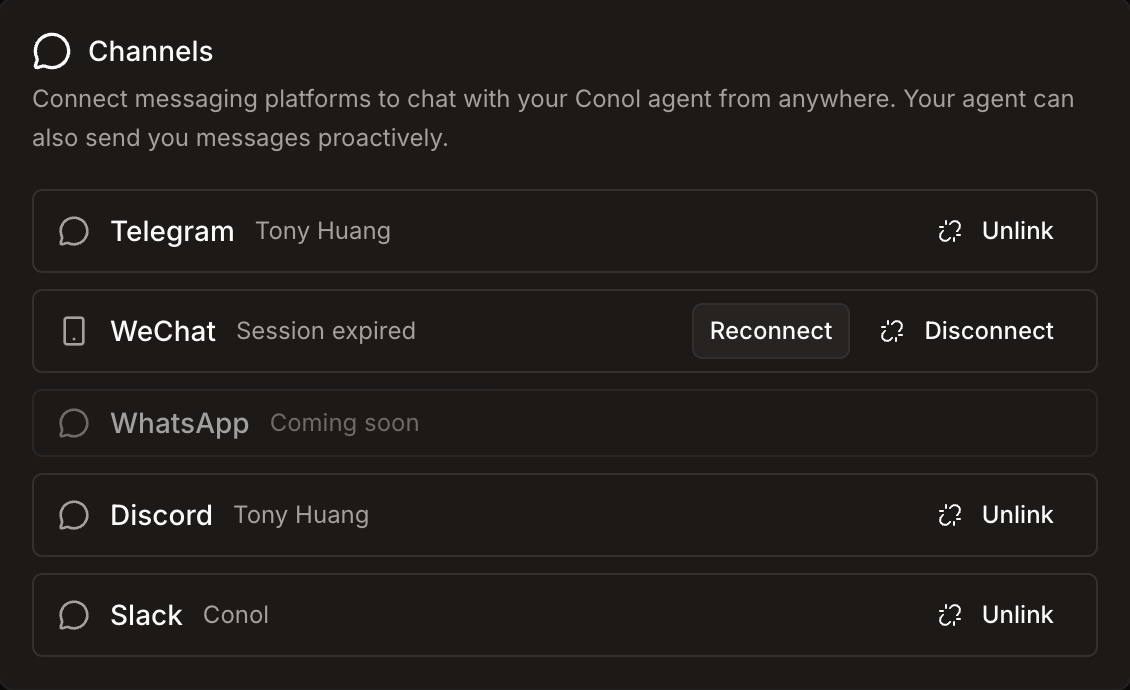
A few things worth knowing:
- It can start the conversation. Like every Conol channel, Slack works both ways — schedule a morning digest, or have the agent ping you the moment a long task finishes, right in your DMs.
- Leaving is granular. Unlink in Settings → Channels removes just your own binding if a teammate installed the app, or disconnects the whole workspace if you were the installer.
Tip
The bind link expires after five minutes — if you wander off and come back, just DM bind again for a fresh one.
Fixes
- Mac desktop: black screen after closing a fullscreen window — closing Conol (red button or Cmd+W) while in fullscreen left a stranded black screen. The window now leaves fullscreen cleanly and tucks itself into the background as intended, even if you close it mid-animation — reopen it anytime from the dock. Ships with the next desktop build.
← Back to blog