Conol 0.42.0 — Live command output, and long chats that fly
Conol
- release-notes
This release is about watching your agent work. Shell commands now show their output the moment it's produced, long conversations stream replies without the lag they used to accumulate, and two fixes make everyday agent interactions — answering its questions, and its own tool use on GPT models — behave the way you always expected them to.
Watch commands run in real time
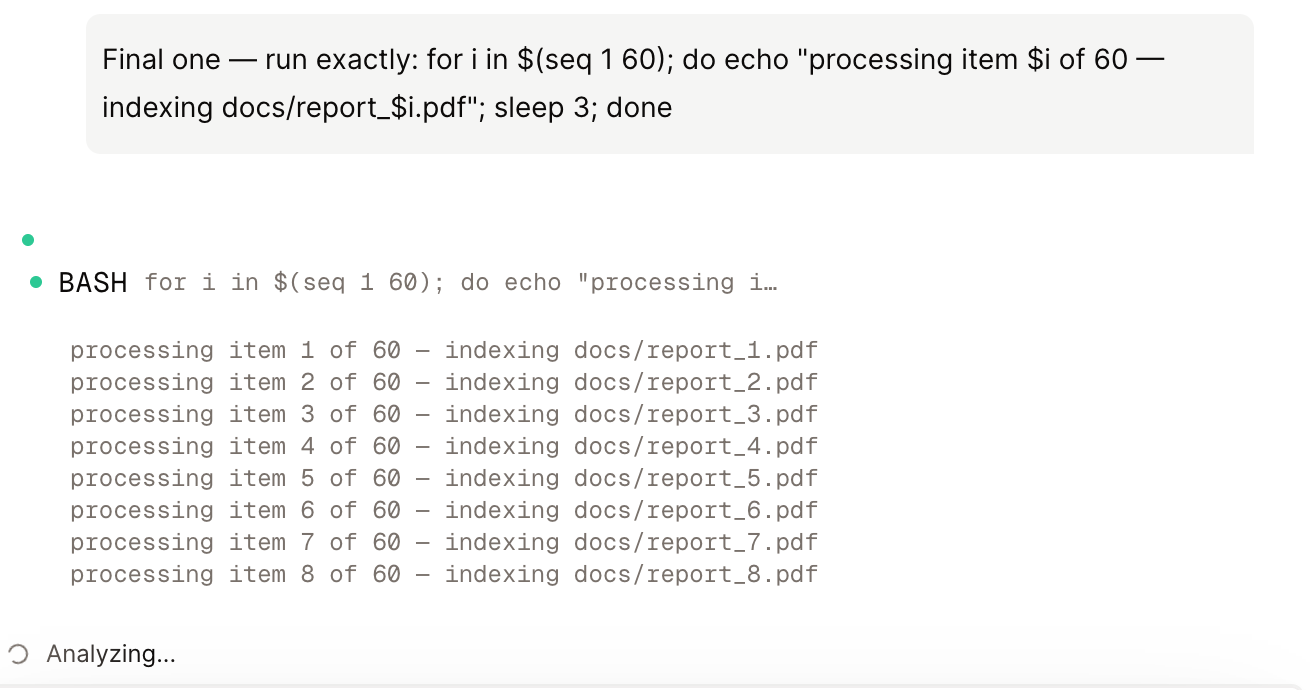
Why. When you ask the agent to run something long — installing dependencies, cloning and building a project, running a test suite or a batch script — the chat used to show only a pulsing dot until the command finished. For a two-minute build that's two minutes of "is it stuck, or is it working?", with the entire output dumped at once at the end. The information existed the whole time; you just couldn't see it.
How to use it. There's nothing to turn on. Ask the agent to run any shell command in its sandbox — "clone this repo and run the tests", "install the dependencies and build" — and expand the tool call in the chat. While the command runs you'll see a live tail of its output, updating as new lines arrive, exactly like watching a terminal. When the command finishes, the full output takes its place as usual.
Long conversations feel light again
Why. In a long session, streaming a single reply used to re-send the whole trailing conversation to your browser on every update, and re-render every message bubble each time — so the longer the chat, the heavier each new word became. In a ~95-message session, one streamed reply could move tens of megabytes over the wire and visibly stutter while typing indicators ran.
How to use it. Nothing to do — it's automatic, everywhere. Under the hood the app now sends only what actually changed on each tick and re-renders only the message being updated. The same 95-message experiment that used to ship ~35 MB per reply now moves a few dozen kilobytes, and the main-thread stalls that caused the jank are gone. You'll feel it most in your oldest, longest chats: replies stream in smoothly no matter how much history sits above them.
Fixes
- Your answers to agent questions stay put — when the agent asked you a question and you submitted an answer, the answer could vanish from the chat the moment the agent carried on, and it didn't survive a reload either. Answers are now a durable part of the conversation history: they stay visible while the agent works and are still there when you come back later.
- Reliable tool use on GPT models — tools the agent picks up mid-task (through its on-demand tool loading) now register correctly with GPT and other OpenAI-protocol models. Previously such a tool could appear to run while nothing actually executed, leaving a fabricated result in the transcript. Anthropic models were unaffected; everyone now goes through the same dependable path.
← Back to blog